How to Connect Claude to LinkedIn — Step-by-Step Outreach Guide

Quick intro
My name is Benjamin and I’m the co-founder of joinlooply.com
I've spent the last decade running businesses doing 6 figures in revenue. I've seen what works and what doesn't
Looply is the tool we built to make the “high-intent” approach repeatable
Connect Claude directly to your LinkedIn account in 5 minutes. Read campaign data, run audits, get high intent leads — all in plain English.
Why connect Claude to LinkedIn?
If you're doing LinkedIn outreach at scale, the loop is probably familiar. Search for leads. Build lists. Guess who might be interested. Write messages. Send them. Wait. Then try to figure out what actually worked… without real data. By the time you understand what’s happening, the opportunity is already gone.
Claude collapses that loop.
You describe your ideal customer in plain English. Claude finds high-intent leads across the internet, enriches them with real buying signals, and launches personalized conversations on LinkedIn automatically. Then it analyzes performance, updates intent signals, and tells you exactly what to improve next.
No spreadsheets. No manual outreach.
This guide walks through the 5-minute setup, the first prompts to run, and the exact workflows this unlocks for finding, converting, and scaling high-intent leads.
What you'll need
The goal : Find the best high intent leads and reach out to them.
We connect Claude to joinlooply.com then link our LinkedIn account to Looply.
Claude continuously surfaces high-intent leads from across the web. Those leads flow directly into Looply, where they’re enriched, prioritized, and ready to act on.
Claude can’t connect to LinkedIn directly. That’s exactly why Looply sits in the middle as the execution layer.
From there, we launch and orchestrate outreach campaigns at scale.
Step 1 — Open Claude in your browser
Go to claude.ai. Don't use the Claude desktop app for this — custom connectors only work in the web version right now.
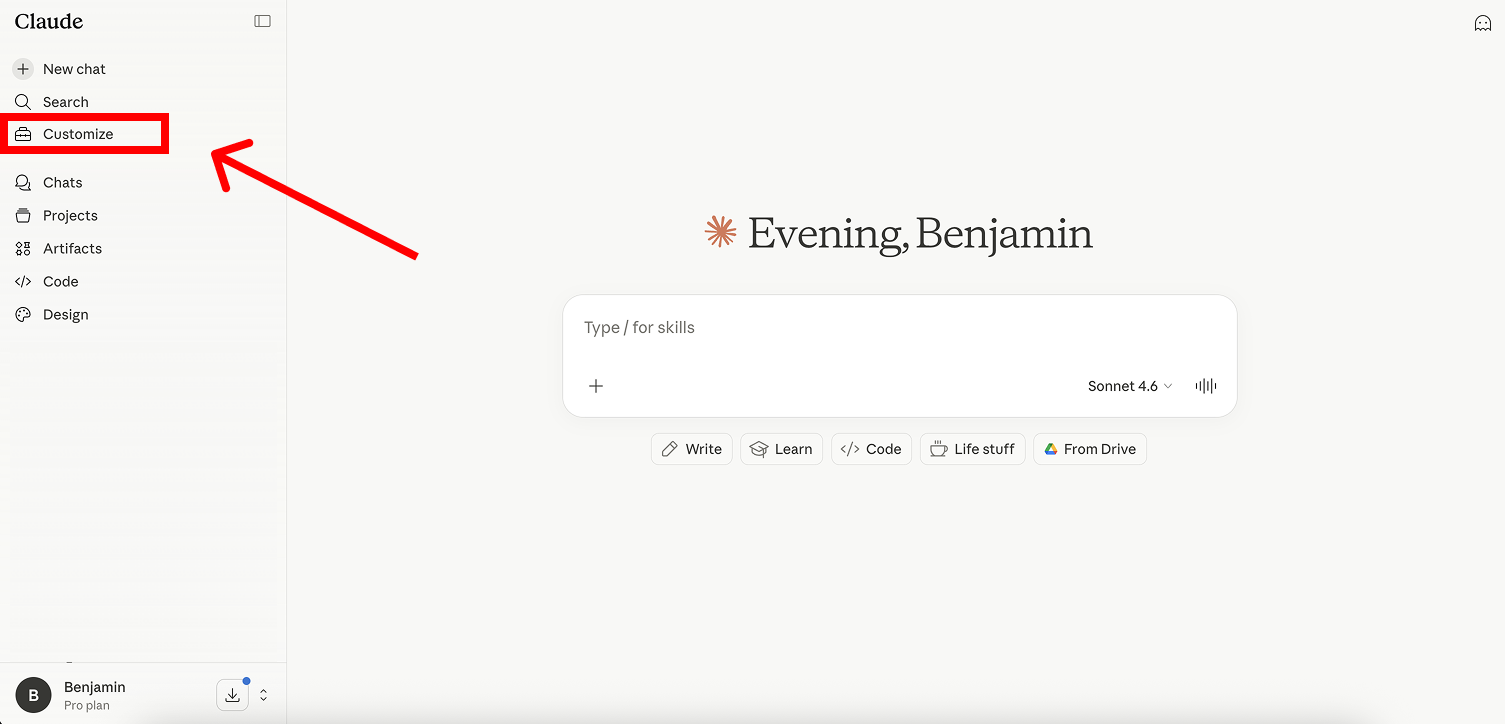
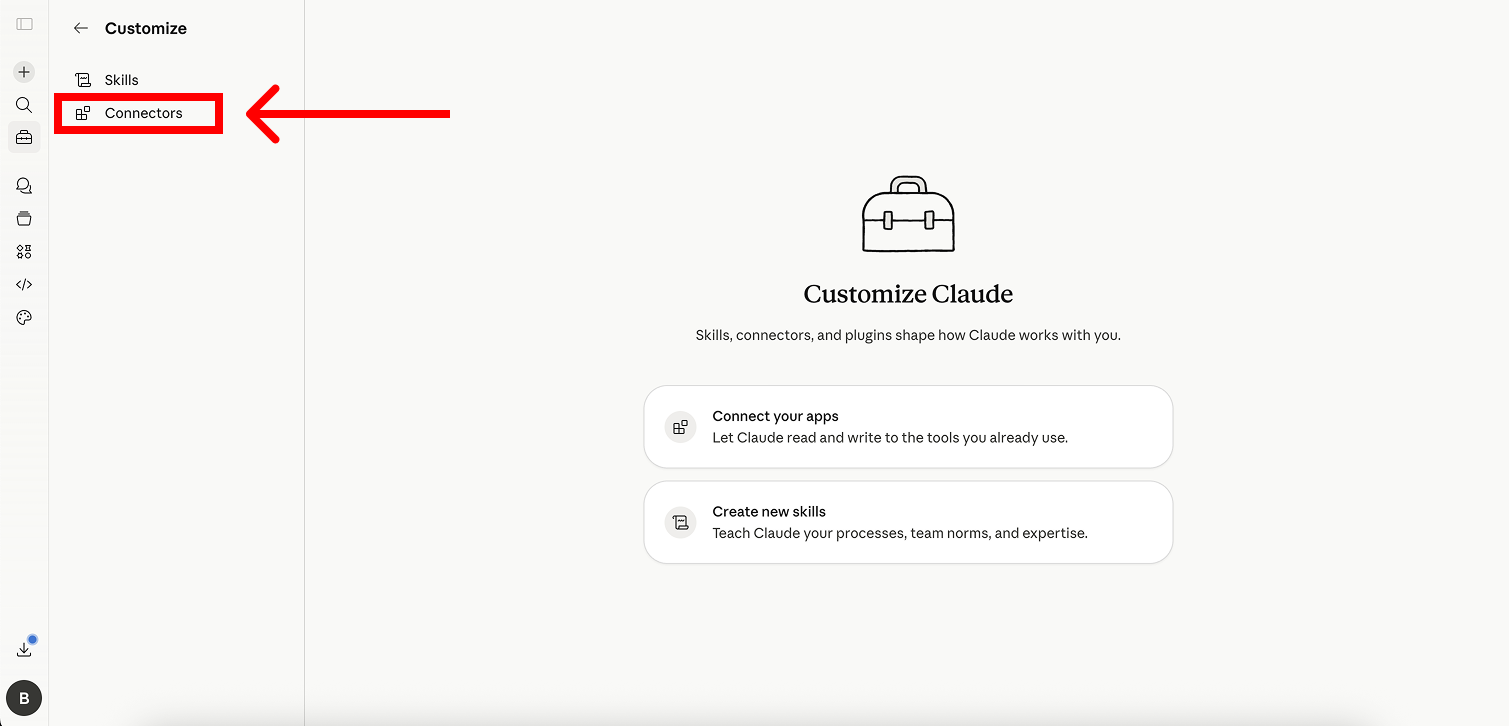
Step 2 — Open Customize → Connectors
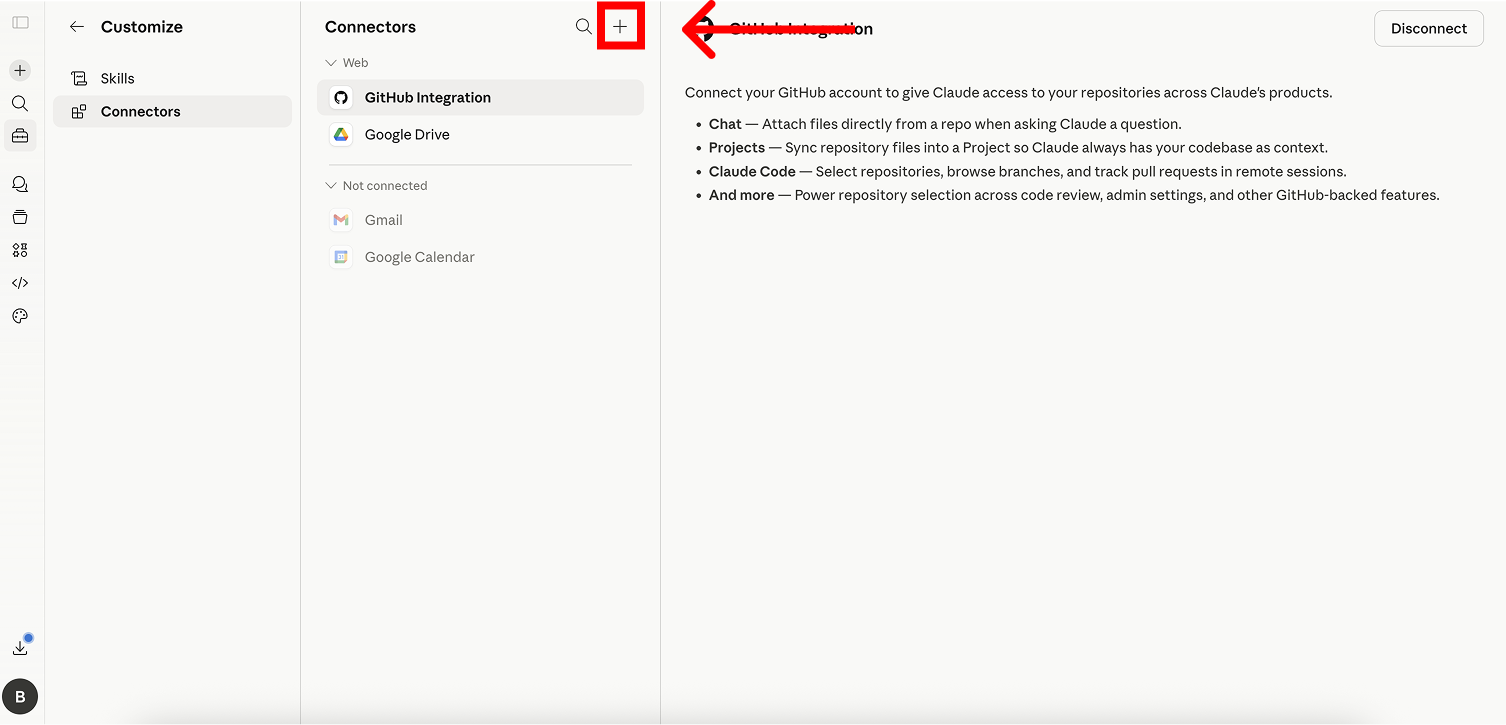
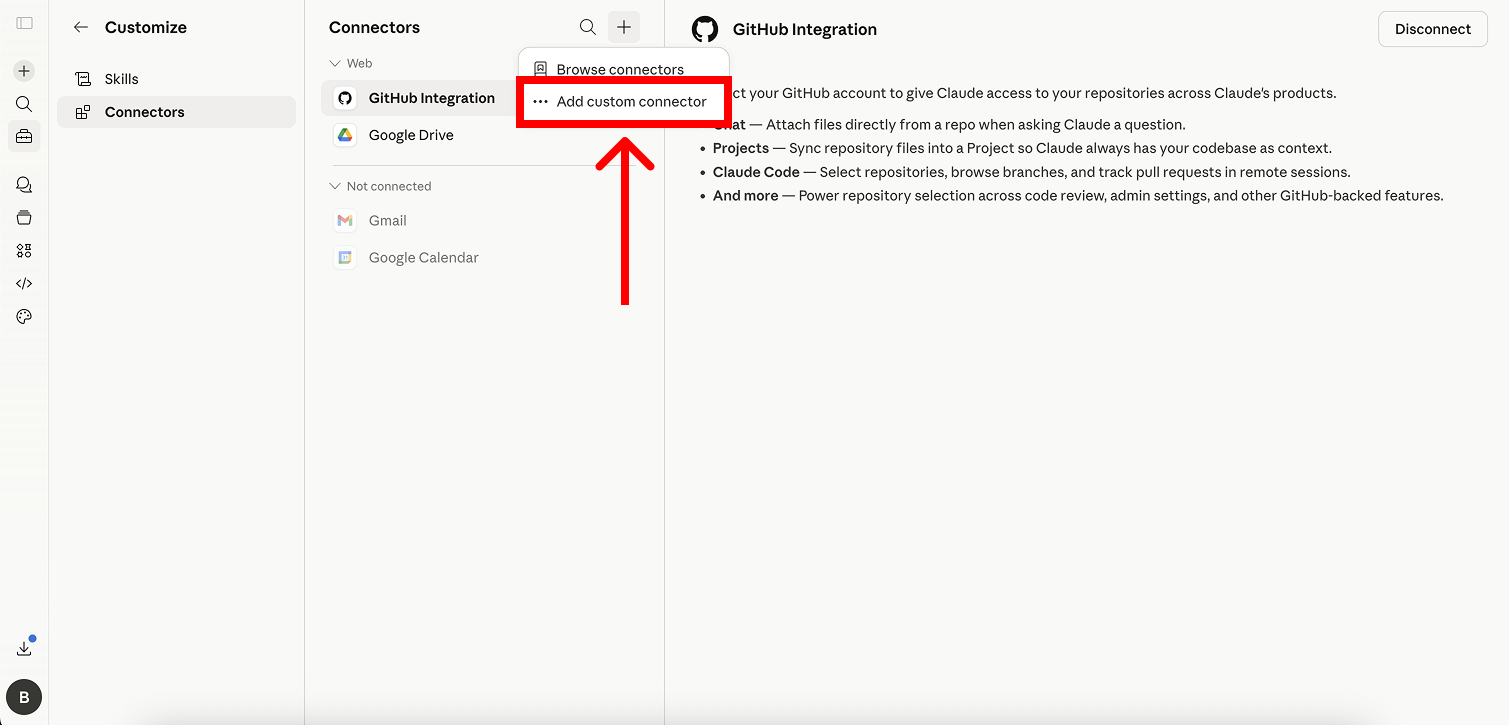
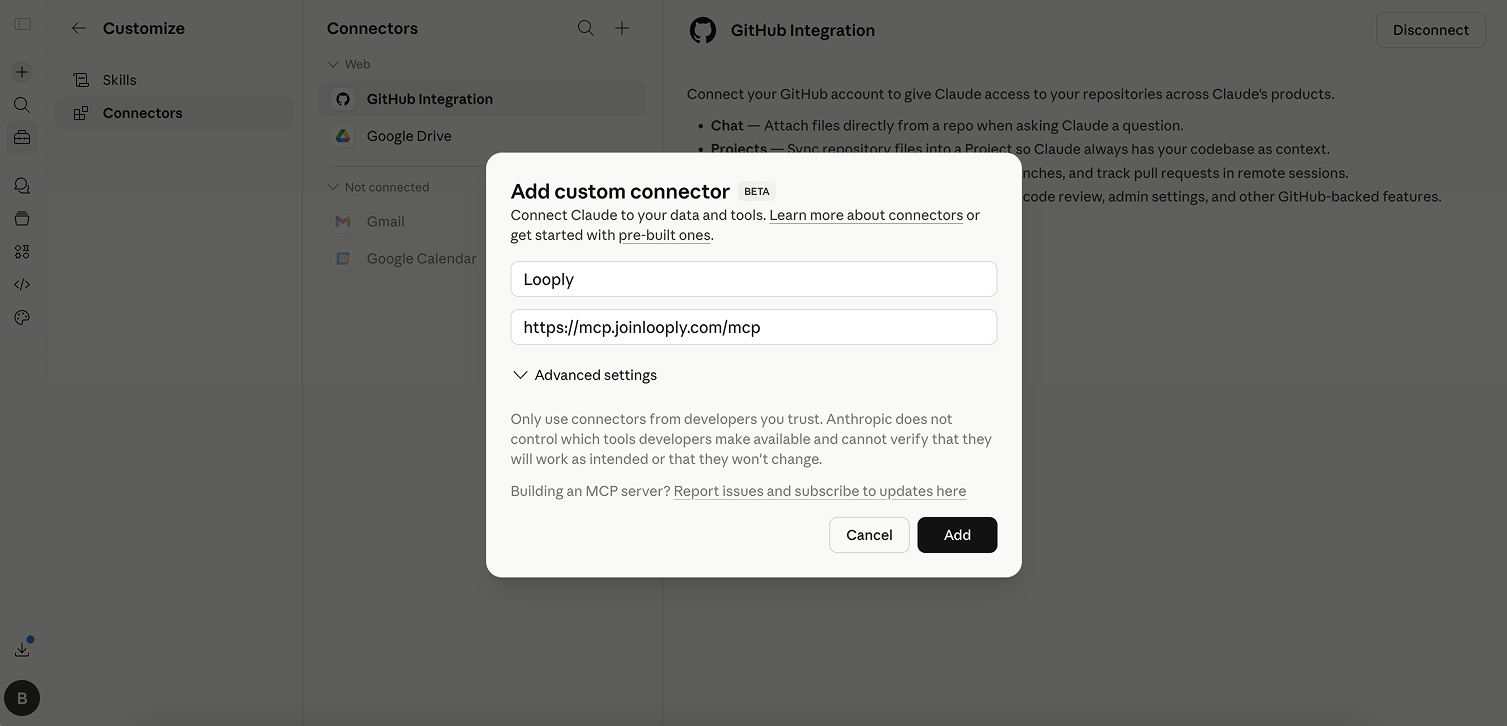
Click your Customize button in the bottom left corner, click the Plus (+) icon, and click “Add custom connector”.
Step 3 — Paste your Looply MCP server URL
Name the connector "Looply" (or anything you want). Paste the Looply MCP server URL you received after signup into the URL field :
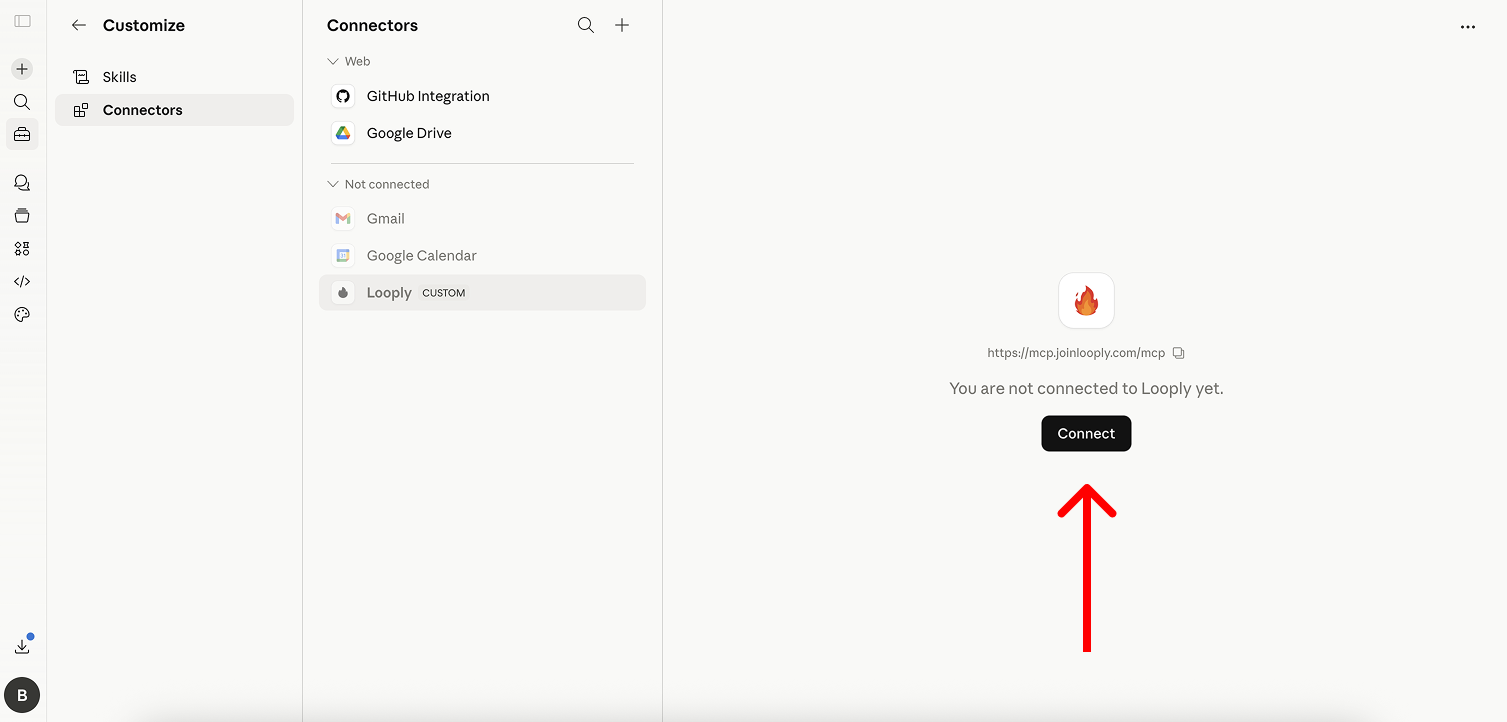
Click on "Connect"
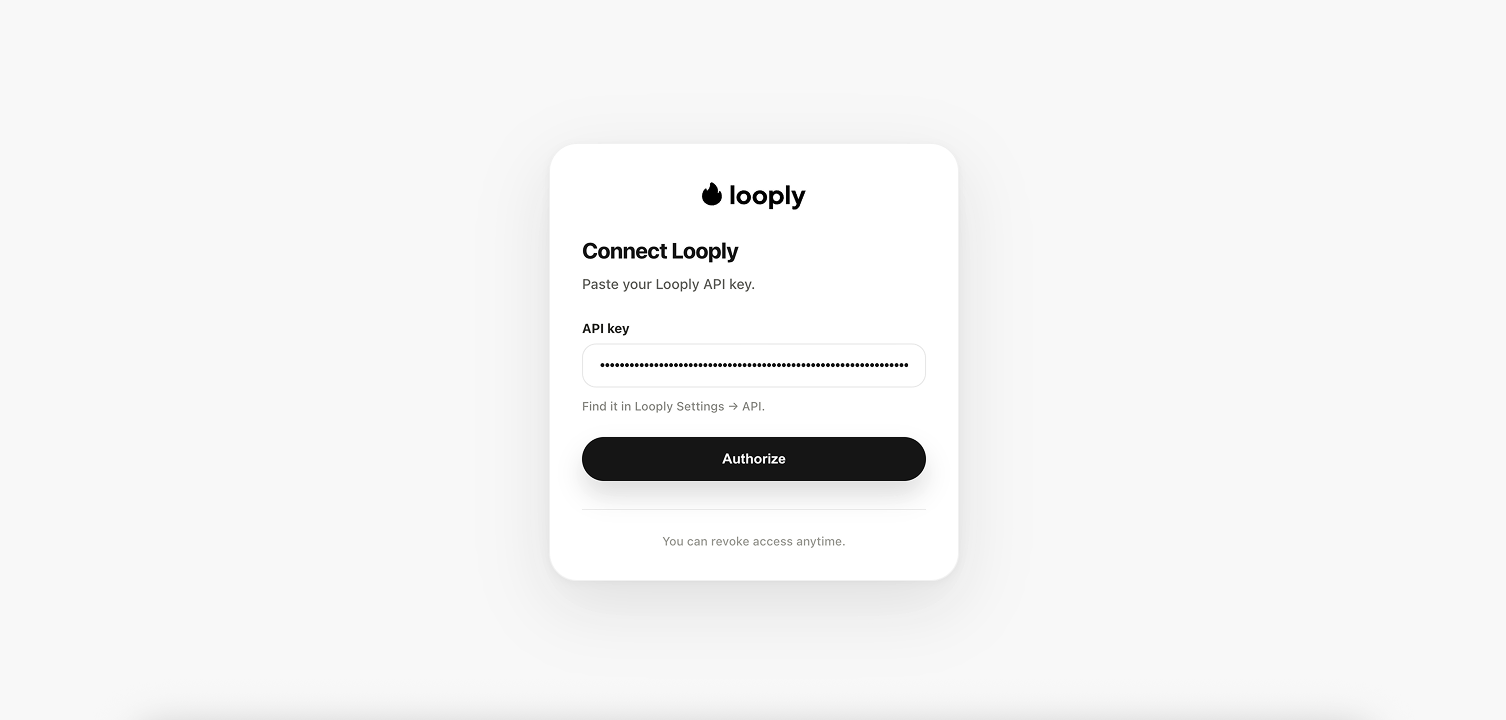
Add your Looply API Key
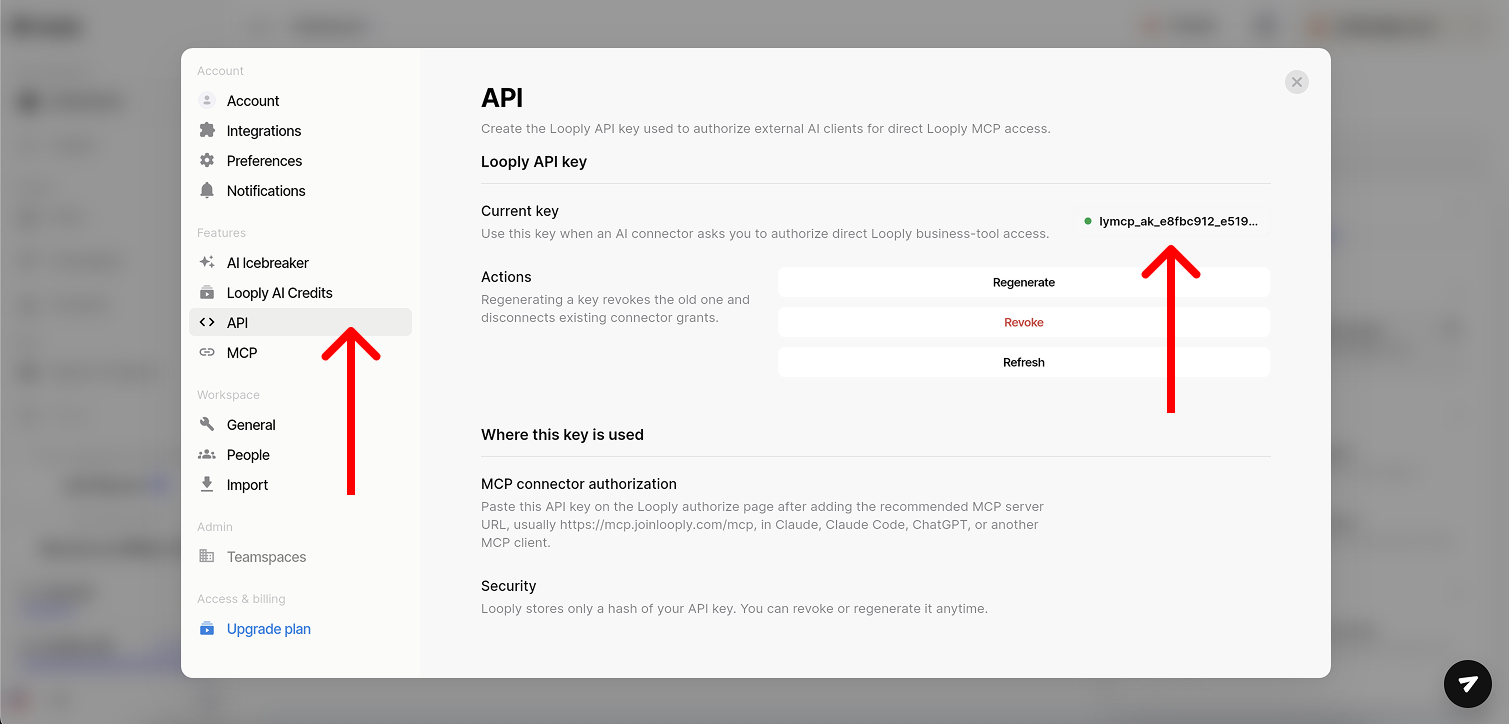
You can find it here on your Account: in settings -> API.Then add it on the previous screenshot.
Enable Looply in your conversation
Once added, enable the connector per conversation. Click the + button in the chat input (bottom-left), open Connectors, and toggle Looply AI on.
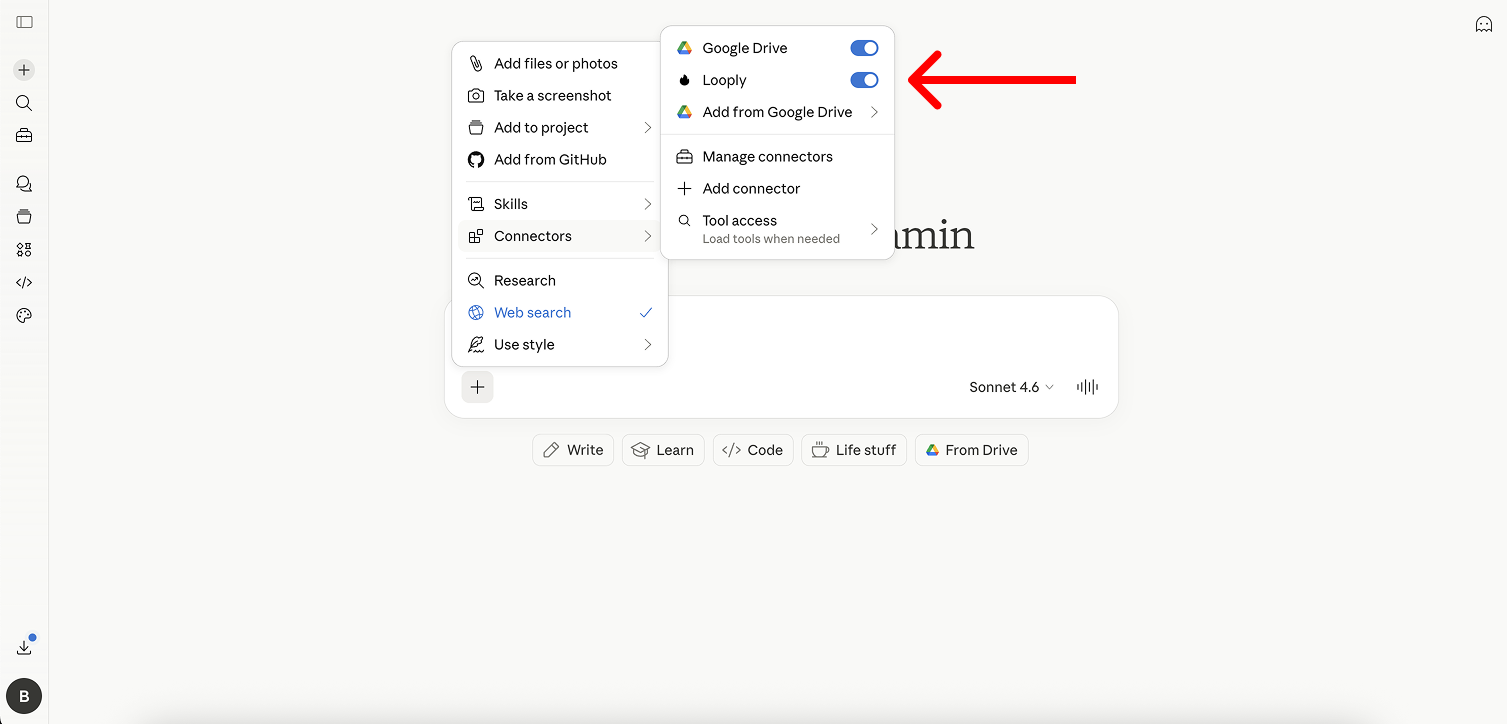
Step 4 — Let's find some leads !
Open a new chat in claude.ai. You're live. Claude now has direct read-and-write access to your Looply account.
A) Ask Claude to find you some leads

B) Get the leads
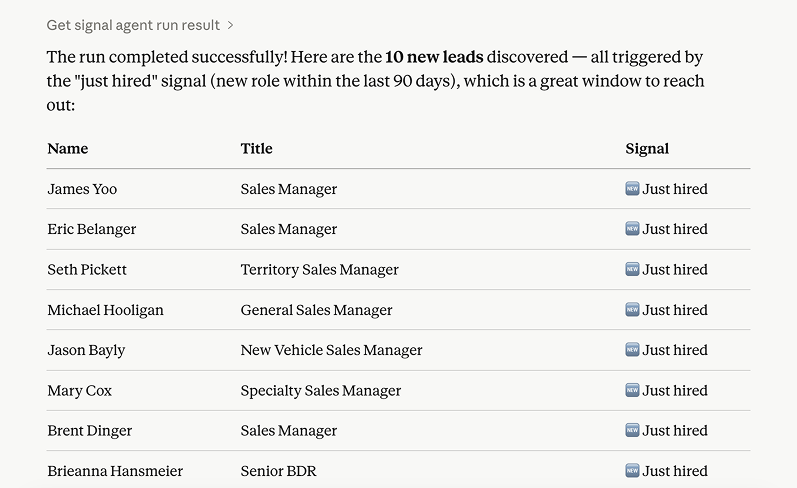
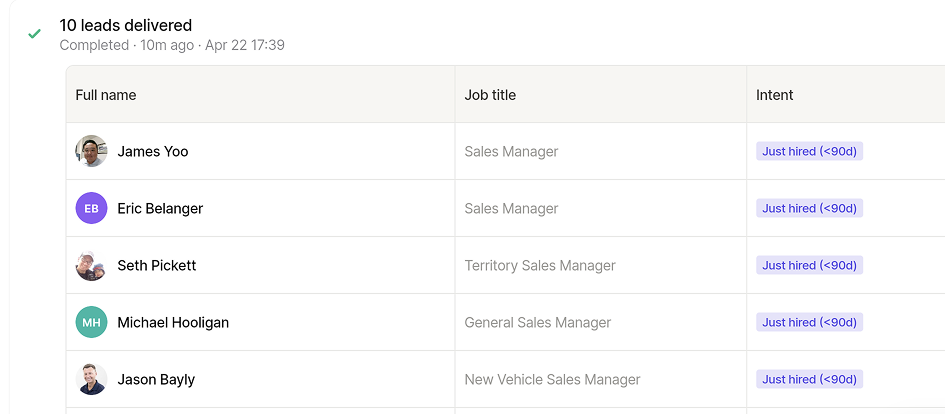
C) Preview your leads in Looply, then ask Claude to enrich each profile and generate a highly personalized message based on real-time intent signals and online activity.
D) Launch an AI crafted campaign in one click within Looply
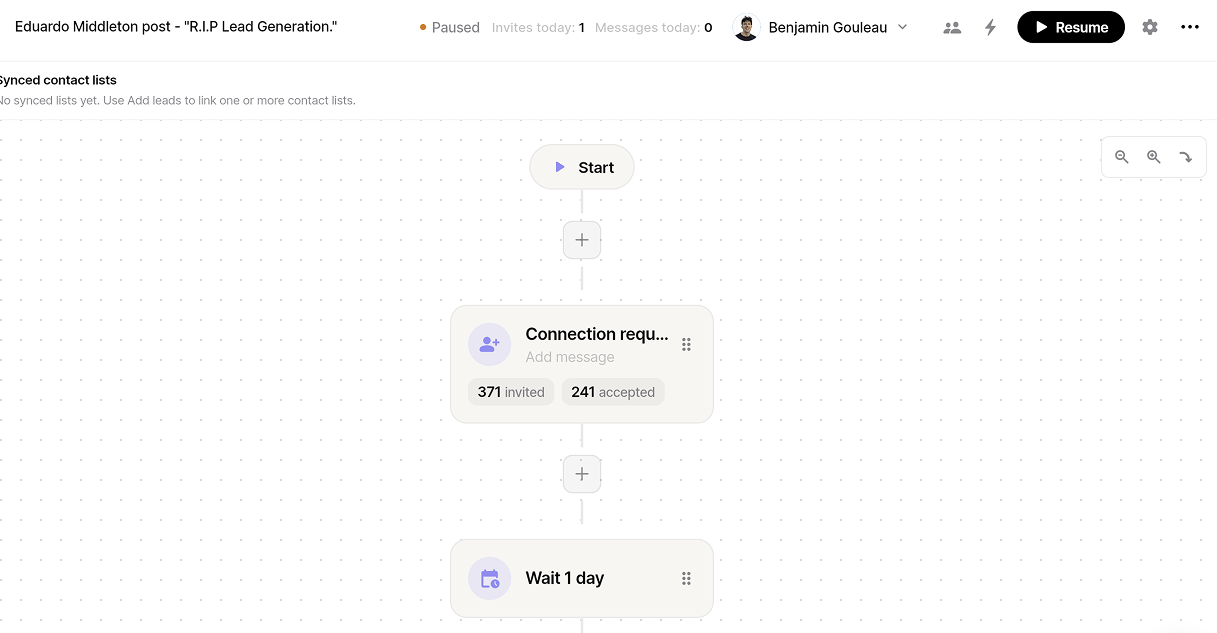
E) Get crazy reply and connections rates
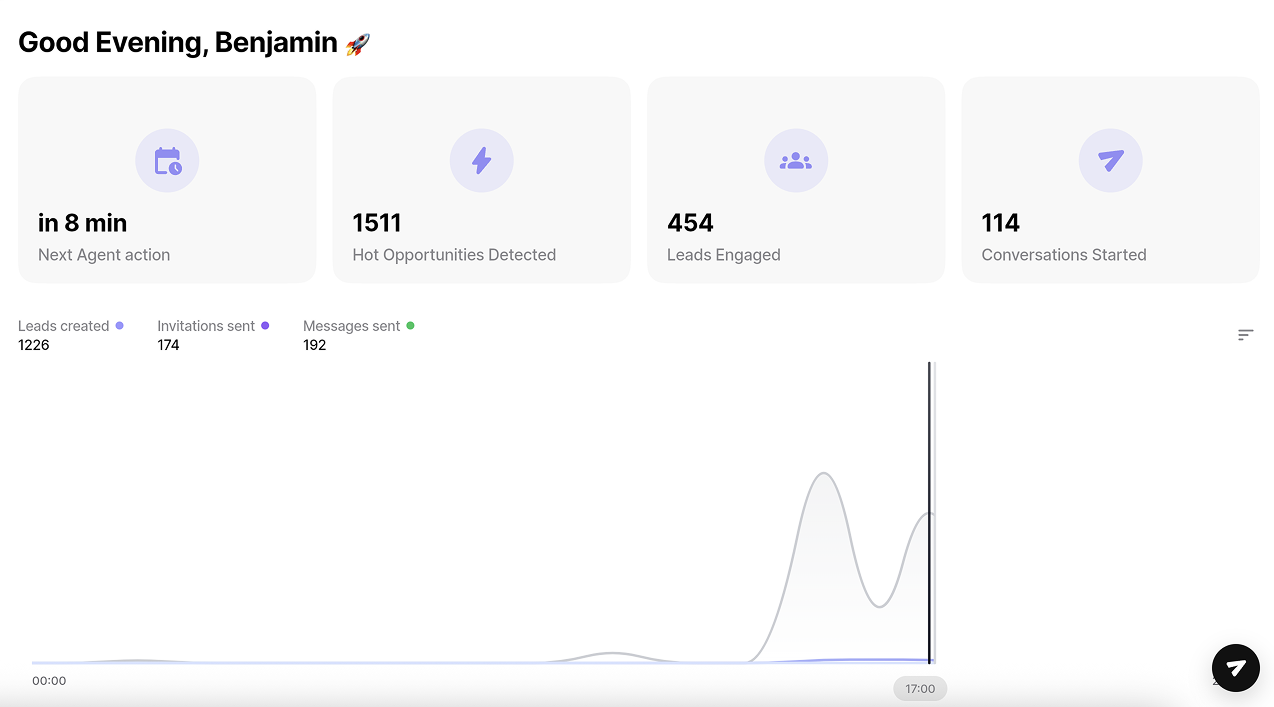
What you can do once Claude is connected to Looply
The real unlock is that every question you used to answer with a Sheets export becomes a conversation. A few examples from my week:
Account overview
Get a real-time view of your pipeline, top intent signals, and campaign performance
“Give me a full overview of my account: pipeline status, top intent signals, and campaign performance.”
“Summarize my current pipeline and highlight the highest intent leads.”
“Which campaigns are performing best right now and where are my next deals coming from?”
Weekly campaign reports
Automatically analyze what worked, what didn’t, and where to double down
“Analyze my campaigns from the last 7 days. What worked, what didn’t, and why?”
“Give me a weekly report with key metrics, top performing campaigns, and underperformers.”
“What patterns do you see in my best performing campaigns this week?”
Build lists & find warm leads in seconds
Identify high-intent prospects and generate targeted lists instantly
“Find 50 high-intent leads matching my ICP from the last 7 days.”
“Build a list of warm leads based on recent intent signals and engagement.”
“Show me leads similar to my last 10 converted customers with strong intent.”
Personalized messages with deep research
Craft hyper-relevant outreach based on real signals
“Write a personalized LinkedIn message for this lead based on their intent signals.”
“Generate 5 outreach messages using recent activity and context for each prospect.”
“Analyze this contact and craft a highly personalized opener that would get a reply.”
All of these are read AND write — Claude can not only surface the insight, but execute the fix with a confirmation step before anything ships.
Get your Looply AI MCP server URL — sent to you after signup, free trial